


Can my kids stream Netflix on the 2026 Honda Odyssey’s Rear Entertainment System near Wooster, OH?
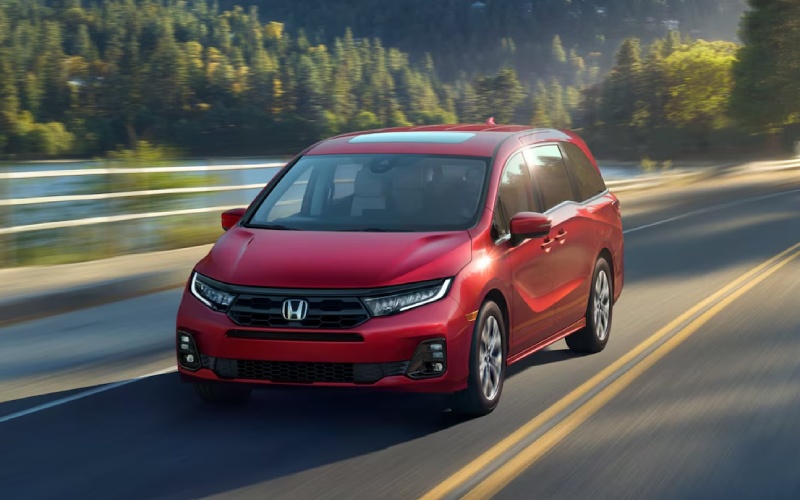
Parkway Honda – Can my kids stream Netflix on the 2026 Honda Odyssey’s Rear Entertainment System near Wooster, OH?
If you are comparing family haulers around Wooster and wondering how the 2026 Honda Odyssey handles movie time on the go, the short explanation is that the Odyssey makes streaming easy with a bring-your-own-device approach. The Advanced Rear Entertainment System on Touring and Elite trims uses a large 12.8-inch high-resolution screen and lets you cast or plug in content from your phone, tablet, or a streaming stick. Pair that with available Wi-Fi® hotspot capability and plenty of USB ports, and your crew can watch their shows while you focus on the drive.
Below, we explain exactly how streaming works in the Odyssey, what you need to bring, which trims include what, and a few pro tips tailored for families commuting between Wooster, Orrville, and Apple Creek or heading out to Mohican State Park. Our team at Parkway Honda will even help you test your device on the showroom floor so you know it works for your family before you take one home.
What the Odyssey includes and how streaming really works
The 2026 Odyssey was designed to be a home-away-from-home for families. On Touring and Elite, the Advanced Rear Entertainment System features that expansive 12.8-inch screen with easy viewing for the second and third rows. You can stream by casting from your device, or connect through the system’s HDMI input. Wi-Fi® hotspot capability is standard on Touring and Elite when you activate a data plan, and there are USB ports throughout the cabin to keep devices charged. Bluetooth®-compatible headphones are supported, and Multi-Zone Audio lets you keep the front of the cabin quiet while the kids watch in back.
Here’s the key point for streaming apps like Netflix or Hulu: the Odyssey doesn’t pre-install third-party apps on the vehicle itself. Instead, you use your own device and subscriptions to display content on the rear screen by casting or via HDMI. That means you stay in control of parental settings and profiles, and it also means content availability depends on your device and service provider. It’s simple, flexible, and future-ready as apps evolve.
Step-by-step: How to watch streaming content in the Odyssey
Once you’ve settled into your driveway in Wooster or a parking spot at Secrest Arboretum, use these quick steps to set up movie time in the van before you hit the road.
- Pick your source: Decide whether you’ll cast directly from a phone or tablet, or plug in a streaming stick or laptop via the HDMI input.
- Power and charge: Use the Odyssey’s USB ports to keep your device topped up. Second-row USB ports are standard on all trims, and a third-row USB charging port is standard on Sport-L and above.
- Connect to data: On Touring and Elite, activate the built-in Wi-Fi® hotspot capability with a data plan if you want to stream over the road. At home or at the College of Wooster campus, you can also connect to a known Wi-Fi® network before departure.
- Choose audio: Pair Bluetooth®-compatible headphones for the kids, or use Multi-Zone Audio so the rear can play while the front stays quiet for conversation or navigation.
- Start playback: Open your streaming app on your device and begin casting to the screen, or select the HDMI input on the Odyssey’s system if you’re using a cable or streaming stick.
Local tip: Coverage can vary along OH-3 and US-250 outside of town. If your route takes you out past Shreve or toward Loudonville, download episodes or movies to your device over home Wi-Fi® before leaving. The Odyssey’s setup works great with offline downloads, so the show keeps playing even if cell service gets spotty.
Trim and port quick guide for families around Wooster
Not every feature is on every trim, so here is a simple guide to the Odyssey’s family tech that matters for streaming and charging:
- Advanced Rear Entertainment System: Standard on Touring and Elite, with a 12.8-inch high-resolution screen.
- Wi-Fi® hotspot capability: Standard on Touring and Elite; requires activation with a data plan for over-the-road streaming.
- Second-row USB charging ports: Standard on all trims to keep tablets and phones powered.
- Third-row USB charging port: Standard on Sport-L and above for the way-back riders.
- Premium audio and Multi-Zone Audio: Multi-Zone Audio is standard on Touring and Elite; the Elite also adds a 500-watt premium audio system with 11 speakers.
- CabinTalk® and CabinWatch®: CabinTalk® is standard on all trims; CabinWatch® is standard on Touring and Elite so you can see the back seats, even in the dark.
If you’re not sure which trim makes sense for your family’s mix of school runs, weekends at Schellin Park, and long hauls to grandparents in Medina, our product specialists will help you compare Touring vs. Elite side by side.
Keeping the front cabin calm while the back enjoys the show
One of the biggest benefits of the Odyssey’s setup is how neatly it keeps rear entertainment in the back—where it belongs. With Multi-Zone Audio, you can let the kids enjoy their movie while you keep navigation prompts and conversation up front. CabinTalk® lets your voice reach the back through their connected headphones and/or the rear speakers, so you can call out a quick snack stop without shouting. And with CabinWatch®, you can glance at the second and third rows on the center screen, even at night, without turning around.
Safety reminder: Always set up streaming and audio before you shift into Drive. Content is for rear passengers only—eyes forward and hands on the wheel for the driver.
Pro tips for smoother streaming around Wayne County
From flag football at Kinney Fields to a Saturday run to the Wooster Farmers’ Market, these tips help your Odyssey’s entertainment work exactly how you want it to:
- Plan for coverage: Use the built-in Wi-Fi® hotspot on Touring/Elite when you expect decent cellular coverage; download content for routes with known dead zones.
- Mind your data: Streaming can use substantial data—check your plan and consider adjusting video quality on your device when needed.
- Power strategy: Keep a couple of short USB cables in the front console and second row so tablets don’t die mid-episode.
- HDMI backup: Pack a compact HDMI cable and, if you use a streaming stick, a small USB power adapter so you can plug into the Odyssey’s ports.
- Headphone harmony: Bluetooth®-compatible headphones reduce back-seat volume and keep the front cabin peaceful on I-77.
- Parental controls: Manage profiles and content restrictions in your streaming apps before you head out.
- Device updates: Update apps and download shows over home Wi-Fi® in Wooster so you are not waiting on updates in a parking lot.
Families who split time between school drop-offs, sports at Knights Field, and weekend hikes at Mohican love how this setup adapts—stream when you have signal, watch downloaded content when you don’t, and keep everyone charged either way.
Quick fixes if something does not play right away
If a show won’t appear on the screen or you lose audio, these simple checks solve most hiccups:
- Source check: Confirm the Rear Entertainment System is set to the correct input—cast or HDMI—and that your device is awake.
- Network refresh: Toggle the Odyssey’s Wi-Fi® hotspot off and back on, or quickly reconnect your device to the hotspot.
- Cable confirmation: Try another HDMI cable if video is flickering or not appearing.
- Headphone pairing: Re-pair Bluetooth®-compatible headphones and make sure they are charged.
- App restart: Force-quit and reopen the streaming app on your device, then start casting again.
Still not working? Bring your device by Parkway Honda—we will walk through the setup with you and make sure your preferred method works consistently before you drive home.
Why families near Wooster choose Odyssey for everyday life
Beyond streaming, the Odyssey backs up family convenience with features you will appreciate all week long. Magic Slide® 2nd-row seats make it easier to reach the third row or put a child within easy reach of the front passenger. The one-motion 60/40 split 3rd-row Magic Seat® stows into the floor, and with the 2nd row removed you can access up to 158 cubic feet of total cargo space—perfect for bulk runs to Orrville or packing for an extended campout. Add in Snow mode for those slick mornings across Wayne County and the confidence of Honda Sensing® standard, and you are covered from school runs to road trips.
If you would like to try the Rear Entertainment System with your own iPhone® or Android™ device, visit us in Dover—just a short hop from Wooster. We will connect your device, demonstrate HDMI and casting, pair a set of Bluetooth®-compatible headphones, and show you how Multi-Zone Audio and CabinTalk® keep everyone happy.
Frequently Asked Questions:
Do I need a data plan to stream in the 2026 Odyssey?
For live streaming on the road, Touring and Elite offer Wi-Fi® hotspot capability that works when you activate a data plan. If you download movies or episodes to your device over home Wi-Fi® in Wooster, you can watch those offline without using cellular data.
Which 2026 Odyssey trims include the Advanced Rear Entertainment System?
The Advanced Rear Entertainment System with the 12.8-inch high-resolution screen is standard on Touring and Elite.
Can Apple CarPlay® or Android Auto™ show video on the rear screen?
Apple CarPlay® and Android Auto™ are designed for the front touch-screen experience. For rear-seat video, use casting from your device or the HDMI input to display movies and shows on the 12.8-inch screen.
Will Bluetooth® headphones work with the Odyssey’s Rear Entertainment System?
Yes. Bluetooth®-compatible headphones can pair with the system, letting rear passengers listen privately while the front cabin stays quiet. You can also use the vehicle’s Multi-Zone Audio on Touring and Elite.
How many charging ports are there for passengers?
Second-row USB charging ports are standard on all trims, and a third-row USB charging port is standard on Sport-L and above. HDMI and additional USB options are located up front and in the center console to support devices throughout the cabin.
Does CabinTalk® interrupt the movie?
CabinTalk® can broadcast your voice through connected headphones and/or the rear speakers. You choose when to use it—perfect for calling out a quick rest stop or reminding everyone to buckle up—then let the show continue.
Can I test my device at the dealership before I buy?
Absolutely. Bring your phone, tablet, or streaming stick to Parkway Honda. We will help you connect via casting or HDMI, pair headphones, and confirm everything works the way your family expects.
Ready to see how seamlessly the 2026 Honda Odyssey fits your family’s routines around Wooster, OH? Stop by Parkway Honda in Dover for a hands-on demo of the Advanced Rear Entertainment System, Wi-Fi® hotspot capability, Magic Slide® 2nd-row seats, and more. We will set up your device, talk through trim recommendations, and help you find the right Odyssey for daily life in Wayne County.
0 comment(s) so far on Can my kids stream Netflix on the 2026 Honda Odyssey’s Rear Entertainment System near Wooster, OH?