


Does the 2026 Honda HR-V charge wirelessly while using Android Auto near Canton, OH?
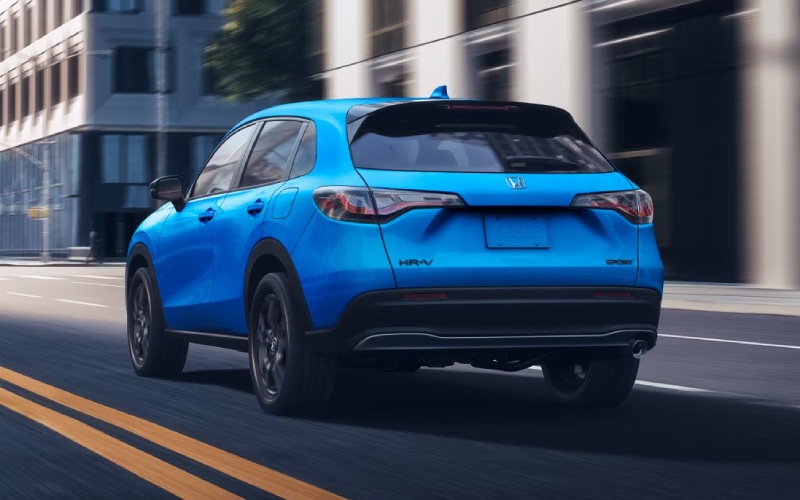
Parkway Honda – Does the 2026 Honda HR-V charge wirelessly while using Android Auto near Canton, OH?
The 2026 Honda HR-V makes it simple to keep your phone powered while staying seamlessly connected to your apps. With standard Wireless Android Auto™ compatibility and a standard wireless phone charger across the HR-V lineup, you can navigate, stream, and message hands-free on the 9-Inch Color Touchscreen while your compatible phone charges on the built-in Qi pad—no cords required.
For Canton, OH drivers who split time between I-77, Fulton Drive NW, and quick stops around Belden Village, this combination matters. You want turn-by-turn directions, voice-controlled messaging, and your playlists ready the moment you shift into Drive—without hunting for the right cable or watching your battery drain in stop-and-go traffic. The HR-V is engineered to do exactly that.
How Wireless Android Auto and Wireless Charging Work Together in HR-V
Wireless Android Auto™ uses Bluetooth® to establish the initial handshake, then hands off high-bandwidth data to the vehicle’s Wi-Fi connection for smooth audio and app performance. The HR-V’s standard wireless phone charger powers your compatible device on the Qi charging pad in the center console while those apps run on the 9-Inch Color Touchscreen. Because these systems operate independently—one for data, one for power—you can use Wireless Android Auto™ and charge at the same time.
It’s a thoughtful, driver-first setup that complements the HR-V’s intuitive cabin. Ergonomic steering-wheel controls, a clear 7-inch TFT meter, and voice access to Google Maps or Waze help keep eyes up and hands on the wheel—ideal for merging near the Pro Football Hall of Fame interchange or navigating downtown garage exits after a concert.
Quick Setup: First-Time Wireless Android Auto on Your HR-V
Getting started only takes a few minutes. Once completed, the HR-V will reconnect automatically when you start the vehicle, so your commute from Canton to Dover is streamlined from the first drive.
- On your phone, update Android and the Android Auto app to the latest versions.
- Enable Bluetooth® and Wi-Fi on your phone.
- Start your HR-V and leave it in Park; on the 9-Inch Color Touchscreen, select the Android Auto prompt.
- Pair via Bluetooth® by following the on-screen and on-phone prompts; allow permissions for contacts, messages, and notifications if you want them visible.
- Place your phone flat on the wireless charging pad; confirm the charging icon appears on the phone screen.
- Use the touchscreen or voice commands to launch navigation, audio, and messaging apps.
After this first pairing, you can simply start the HR-V and place your phone on the pad. On Sport and EX-L trims, Smart Entry with Walk Away Auto Lock® means you can step out with the key fob, lock automatically, and your connection will resume when you return and restart.
Real-World Performance Around Canton
In everyday driving—think morning runs past Malone University, weekend errands in North Canton, or detours to the Hall of Fame Village—most modern Android phones will maintain or gain charge on the HR-V’s pad while running Wireless Android Auto™. Factors such as screen brightness, live navigation, streaming, and ambient cabin temperature can influence net charging speed. The HR-V’s cabin layout keeps the pad within easy reach, and the climate vents help you manage phone temperature on warmer days, promoting steady charging.
If your drive includes frequent short hops with lots of screen-on time—like stop-and-go pickups along Cleveland Ave—battery percentage may hold steady rather than climb quickly. On longer I-77 stretches where the screen is dimmer and the phone stays cooler, you’ll typically see the battery increase.
Pro Tips for Reliable Charging and Connection
These small habits can make a noticeable difference in day-to-day use, especially if your phone case or accessories are on the thicker side.
- Case thickness matters: Use a slim, Qi-friendly case; very thick or metal-backed cases can slow or interrupt charging.
- Align the coils: Center the phone on the pad; slight shifts can pause charging without you noticing.
- Keep the phone cool: Direct a little airflow toward the console area during heavy navigation or summer sun to help maintain charging speed.
- Limit competing connections: If multiple paired phones are in the HR-V, set your primary phone as the default for Wireless Android Auto™.
- Update regularly: Keep your phone’s OS, Android Auto, and key apps current for best stability and performance.
- Avoid stick-on metal plates: Magnetic mounts and metal rings can interfere with Qi charging—remove them if charging seems inconsistent.
If you ever prefer a cable—for example, to top off the battery extra quickly before a long ride to Akron-Canton Airport—the HR-V includes convenient front and center console USB ports for a direct charge while still supporting Android Auto features.
What Else Stands Out for Tech-Savvy Canton Shoppers
The HR-V’s standard technology suite is purpose-built for modern commutes and regional travel. Wireless Apple CarPlay® compatibility is standard too, so iPhone users get the same cable-free experience and can charge wirelessly on the Qi pad. The 9-Inch Color Touchscreen keeps your most-used apps front and center with a physical volume knob that’s easy to adjust over rougher pavement west of town.
Safety and confidence are equally strong. Every HR-V includes the Honda Sensing® suite—features like Collision Mitigation Braking System™ (CMBS™), Road Departure Mitigation System, Adaptive Cruise Control with Low-Speed Follow, and Lane Keeping Assist System help support your attention on busy stretches around Belden Village or along Route 62. On Sport and EX-L trims, Blind Spot Information System with Cross Traffic Monitor adds helpful awareness when you’re backing out from angled street parking near downtown spots.
When the forecast calls for slick neighborhood streets, available Real Time AWD™ with Intelligent Control System™ and Snow mode provide an added layer of control. While those features don’t affect wireless charging or Android Auto™, they round out a well-integrated driving experience—tech forward, confident, and ready for Northeast Ohio conditions.
Troubleshooting Tips If Charging Pauses or Android Auto Drops
Intermittent issues are rare, but if you notice charging or connection hiccups, a few quick checks usually set things right.
- Restart devices: Power-cycle your phone and restart the HR-V to re-establish a clean connection.
- Re-seat the phone: Lift and re-center it on the charging pad to confirm the charging icon appears.
- Toggle Bluetooth®/Wi-Fi: Turn both off and back on; then reopen Android Auto on the touchscreen.
- Remove case briefly: Test without the case to rule out interference or coil misalignment.
- Forget and re-pair: In the phone’s Bluetooth® settings and the HR-V’s device list, remove the saved profile, then pair again.
If you’d like a walk-through, our Parkway Honda team can pair your phone, confirm wireless charging, and share best practices tailored to your device during your test drive—just a short drive from Canton down I-77.
Day to day, the HR-V’s thoughtful tech design reduces clutter, keeps you connected, and helps your phone stay charged through commutes, practices, and weekend runs across Stark and Tuscarawas Counties. It’s the kind of small convenience that adds up to a better drive, every time.
Frequently Asked Questions:
Will Apple CarPlay® also work wirelessly while charging in the 2026 HR-V?
Yes. Wireless Apple CarPlay® compatibility is standard, and the HR-V’s standard wireless phone charger can power a compatible iPhone while CarPlay is in use on the 9-Inch Color Touchscreen.
Do all 2026 HR-V trims include Wireless Android Auto™ and the wireless charger?
Yes. Wireless Android Auto™ compatibility, Wireless Apple CarPlay® compatibility, the 9-Inch Color Touchscreen, and a wireless phone charger are standard across the 2026 HR-V lineup.
Will a magnetic case or metal plate affect wireless charging?
It can. Metal-backed accessories and some magnetic mounts interfere with Qi charging. For best results, use a slim, Qi-compatible case without metal components.
Does Walk Away Auto Lock® affect my Android Auto connection?
On Sport and EX-L trims with Smart Entry and Walk Away Auto Lock®, the HR-V will lock as you step away with the key fob. When you return and restart, Wireless Android Auto™ reconnects automatically.
Can I switch between two phones in the HR-V?
Yes. You can pair multiple phones and select which one connects for Wireless Android Auto™. For the most consistent experience, set your primary device as the default and keep other paired phones’ Bluetooth® off when you’re driving.
Ready to try it for yourself? Visit us at Parkway Honda for a hands-on demo in the 2026 Honda HR-V. We’ll pair your phone, show you how Wireless Android Auto™ and the wireless charger work together, and help you explore features like Honda Sensing®, available Real Time AWD™, and the HR-V’s flexible cargo options that fit everyday life around Canton, OH.
0 comment(s) so far on Does the 2026 Honda HR-V charge wirelessly while using Android Auto near Canton, OH?